Website projectDemo project

Hardware online store, POS & inventory system

Problem: Small shops lose sales when customers can't tell what's in stock or can't order without visiting, and counting stock by hand at the till is slow and easy to get wrong.

What I built: A full-stack online store, point-of-sale and inventory system for a hardware shop. Customers browse the shop, add items to a cart, check out as guests for pickup or delivery, pay by card with Stripe and follow their order on a tracking page, while a shop assistant answers questions about products, delivery and orders. Cashiers ring up till sales with a scanner-friendly checkout and printable receipts and move online orders along to delivery or pickup. Online and till sales share one stock, so admins see the day's sales, orders to fulfil, low stock and best sellers in one dashboard, and manage products, stock, refunds, orders and staff. It's white-label, so it can be rebranded for any shop. The demo runs in Stripe's test mode, so no real money moves.

  1. Customer orders
  2. Pays with Stripe
  3. Stock updates itself
  4. Staff fulfil it
  5. Customer tracks it
  6. Admin sees the day
React · Node.js · Express · MongoDB · Tailwind · Stripe · Cloudinary · Resend

Website screenshots

Store website

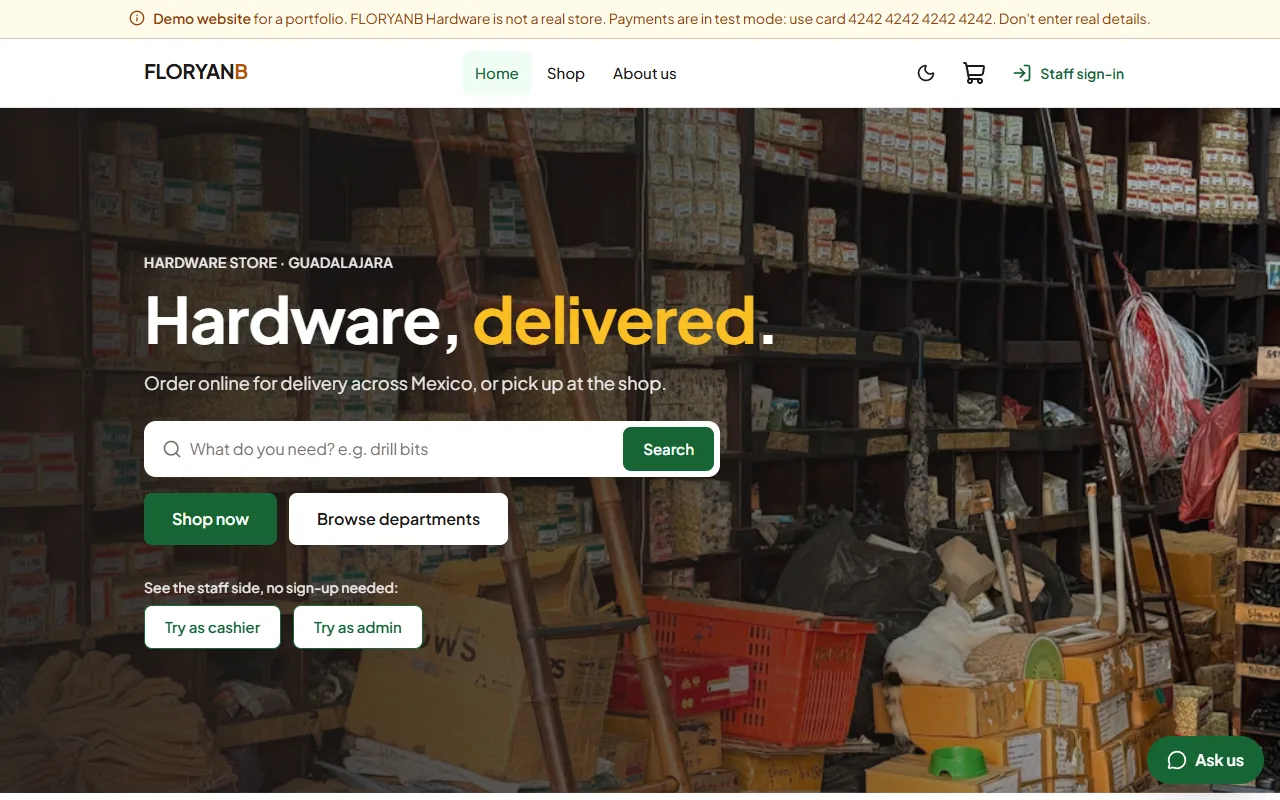
Home page of the hardware store demo website with the headline 'Hardware, delivered.', a product search box and a cart icon
The shop's public website opens with a product search, department links and a cart, so customers can order online for pickup or delivery. Visitors can try the staff side with one click, no sign-up needed.

Shop page

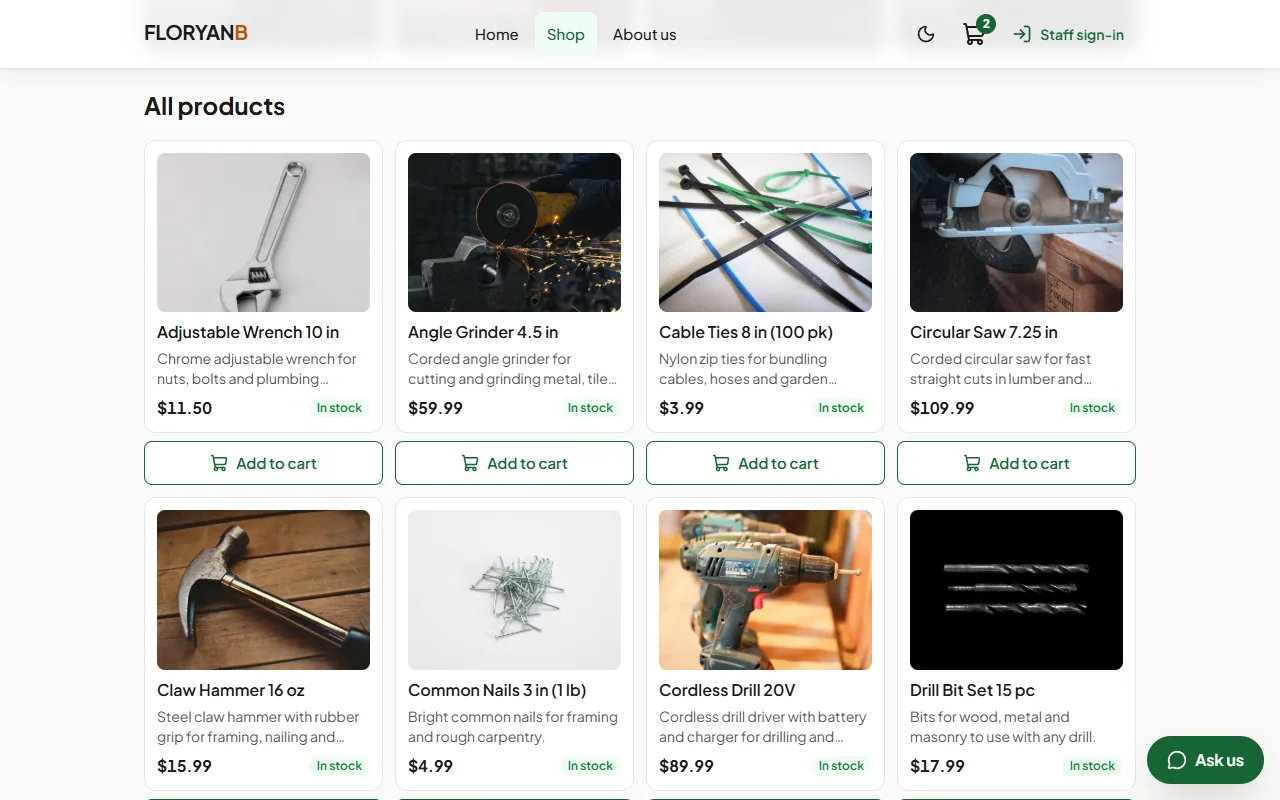
Shop page with product cards, each with an Add to cart button, and the cart icon showing two items
Shoppers browse department tiles or search every product by name, with an in-stock filter, and add items to the cart. Prices and stock status are public; cost prices and exact counts never are.

Product pop-up

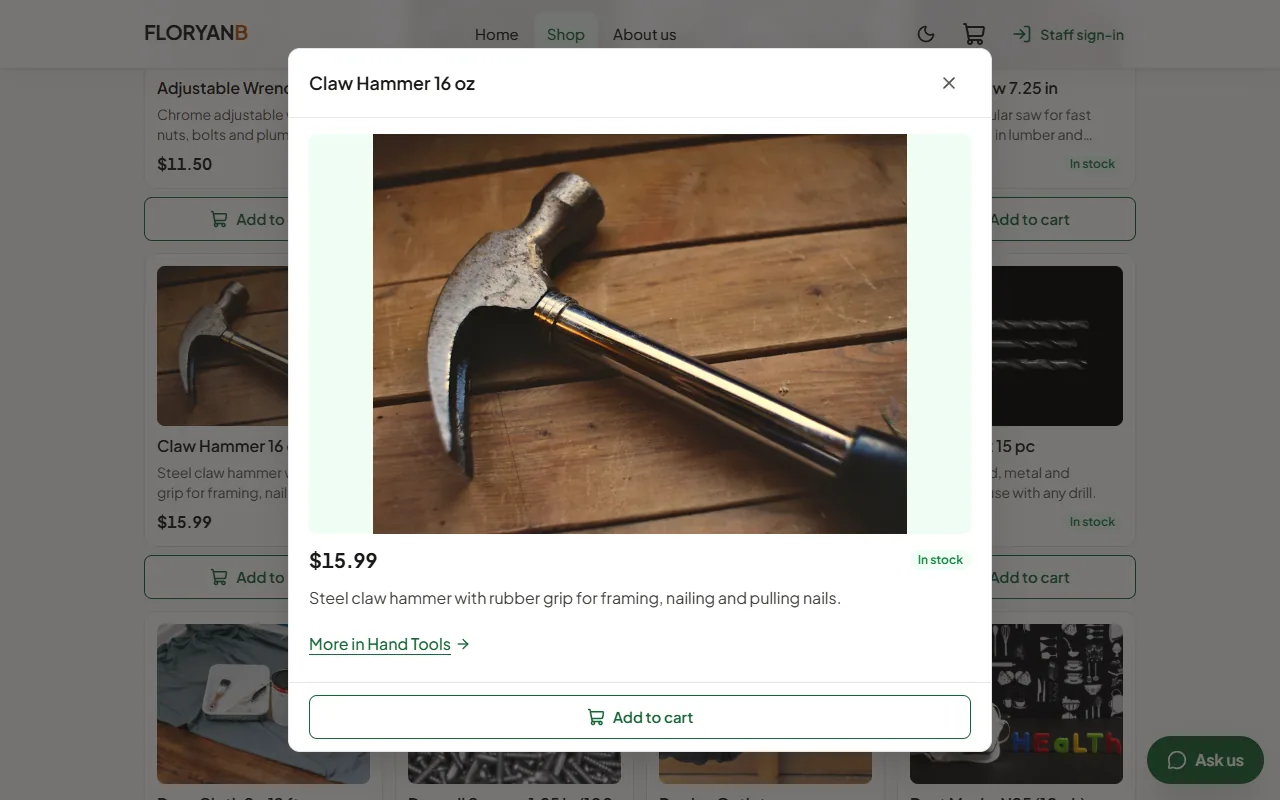
Product pop-up for a claw hammer with a large photo, the price, an In stock badge, the description, a link to its department and an Add to cart button
Clicking a product opens a pop-up with the whole photo, the price and stock status, the full description, a link to its department and an Add to cart button. It works the same from the home page, the shop and the department pages.

Shop assistant

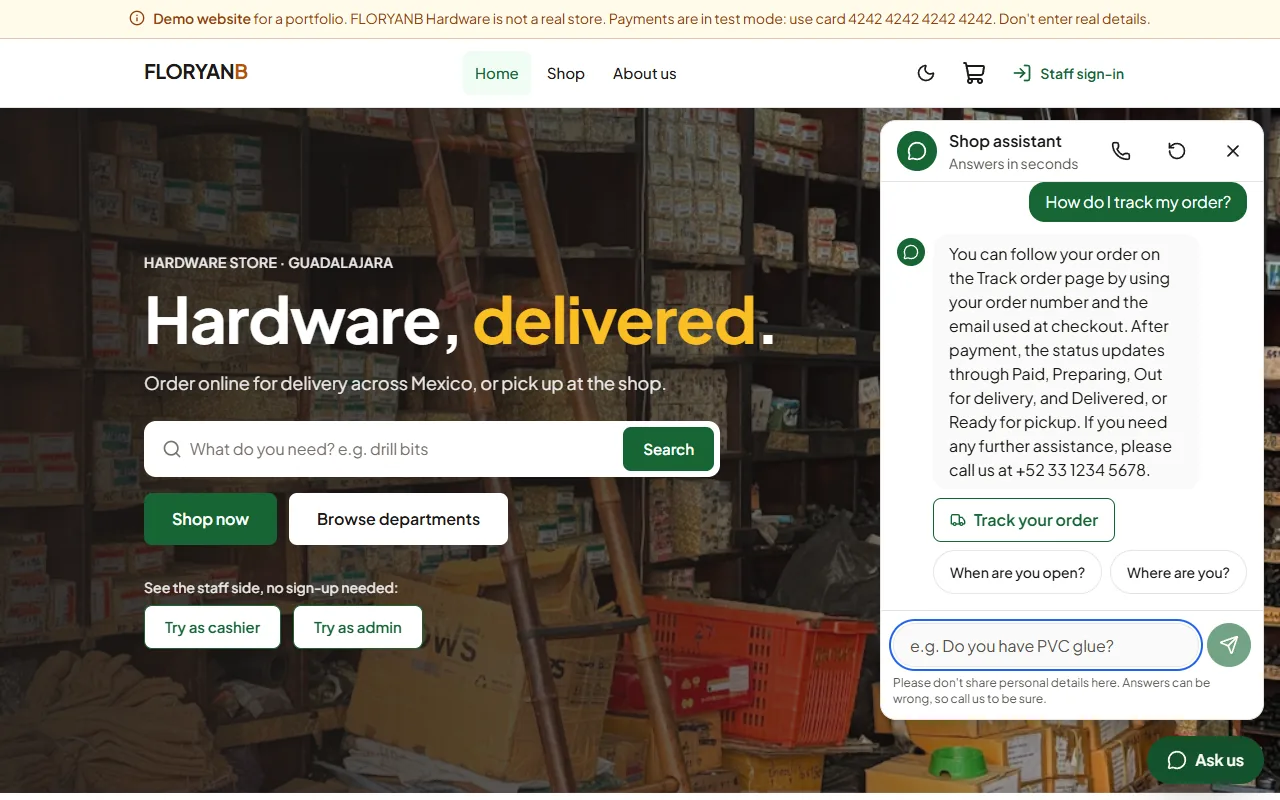
Shop assistant chat answering how to track an order, with a Track your order button
A shop assistant on the shop's browsing pages answers questions about products, stock, delivery and orders, like 'Do you have a claw hammer?' or 'How do I track my order?'. It shows matching products with prices and stock, explains how ordering works and offers a Track your order button. It's built to use an AI model, with plain product search as the fallback.

Online checkout

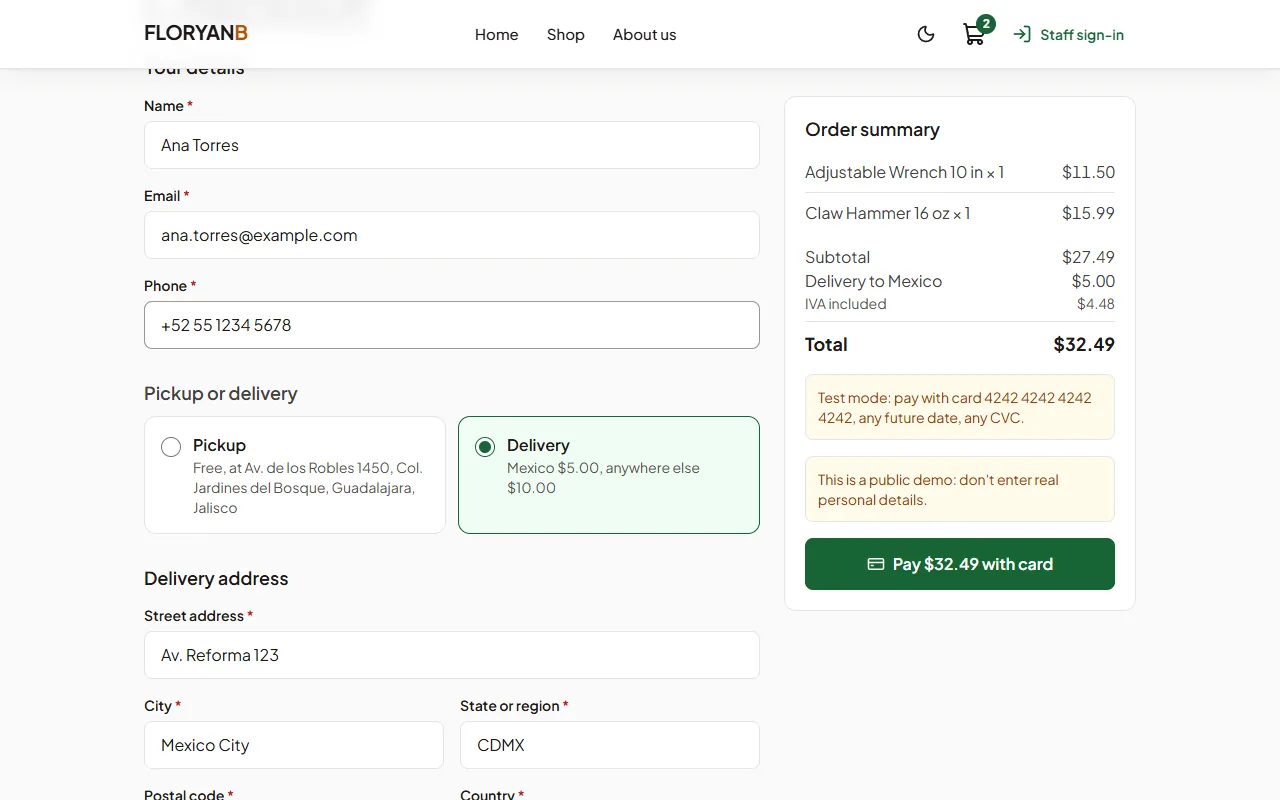
Online checkout with contact details, a pickup or delivery choice and an order summary showing the delivery fee and tax before paying by card
Customers check out as guests, with no account: name, email and phone, then free pickup or delivery to an address. The summary shows the delivery fee and tax before they pay by card through Stripe, and the stock is held while they pay so two customers can't buy the last unit.

Order tracking

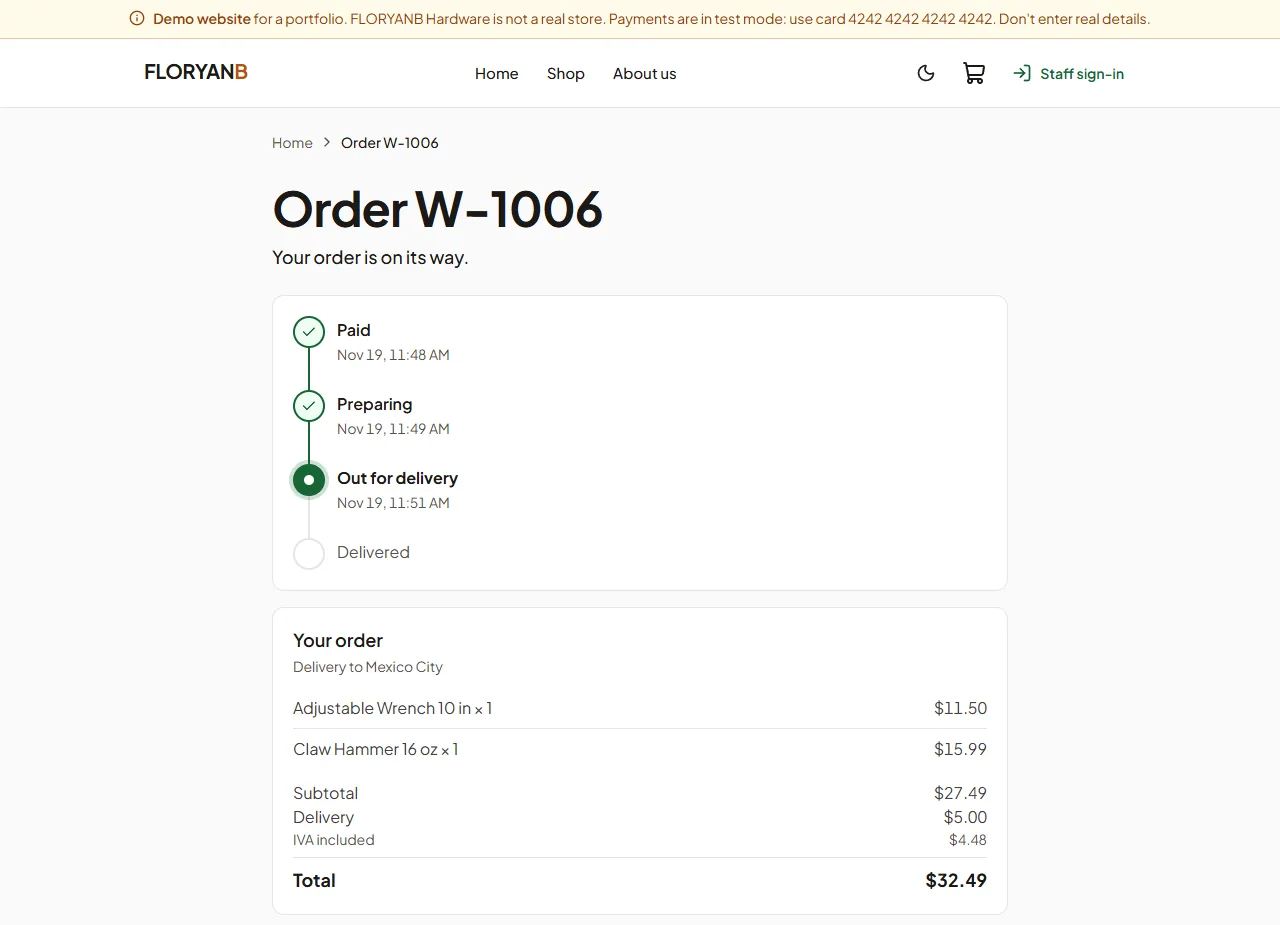
Order tracking page with a progress timeline showing Paid, Preparing and Out for delivery, and the order summary
After paying, customers land on an order page with a progress timeline: Paid, Preparing, Out for delivery, then Delivered (pickup orders end at Ready for pickup). They can reopen it any time with their order number and email. In the demo an order moves along by itself in a few minutes, so you can watch the whole journey.

Online orders

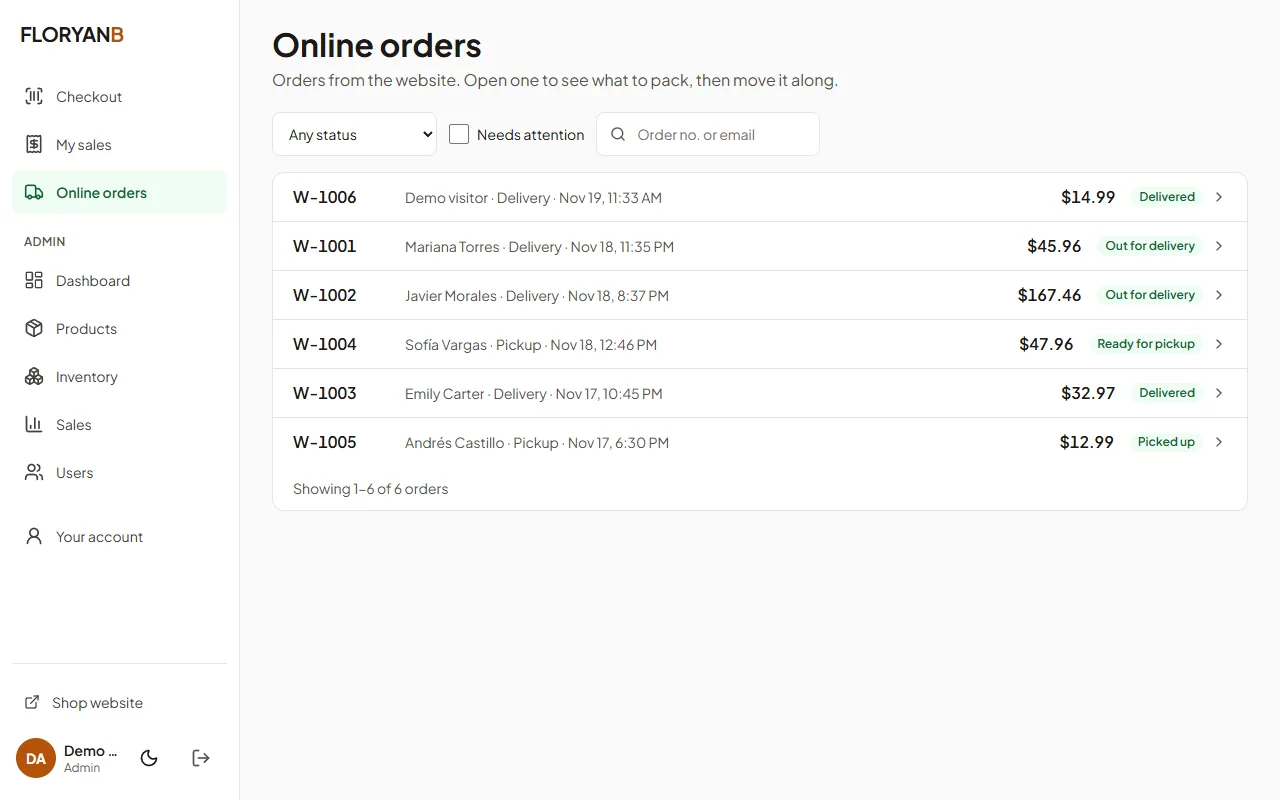
Staff list of online orders showing each order's customer, delivery or pickup, total and status
Staff see every online order in one list and move it along from paid to preparing, then out for delivery or ready for pickup, and finally delivered or picked up. Cashiers and admins can both do this, and admins can also cancel an order.

Cashier checkout

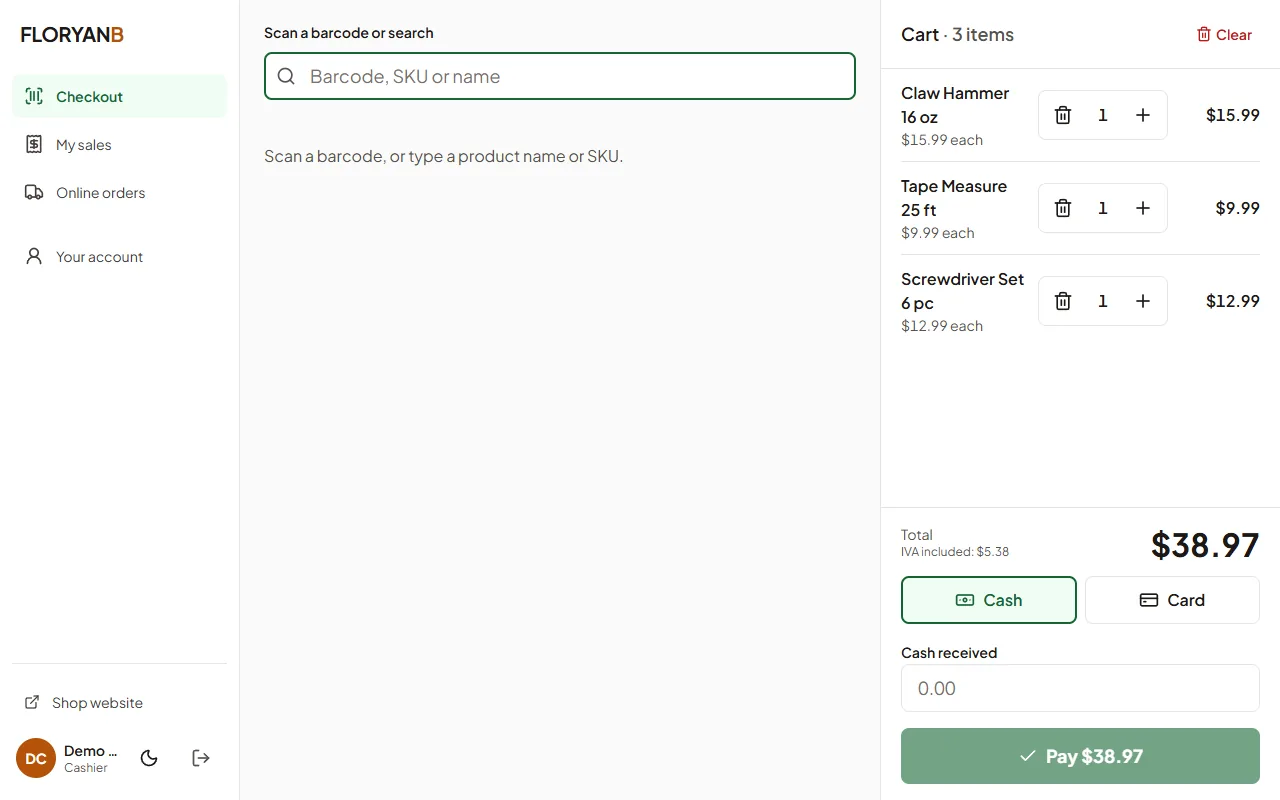
Cashier checkout with three items in the cart, the total and cash or card payment
The cashier's checkout: scan a barcode or search, adjust quantities, take cash or card, and print a receipt. Tax is worked out on every sale.

Admin dashboard

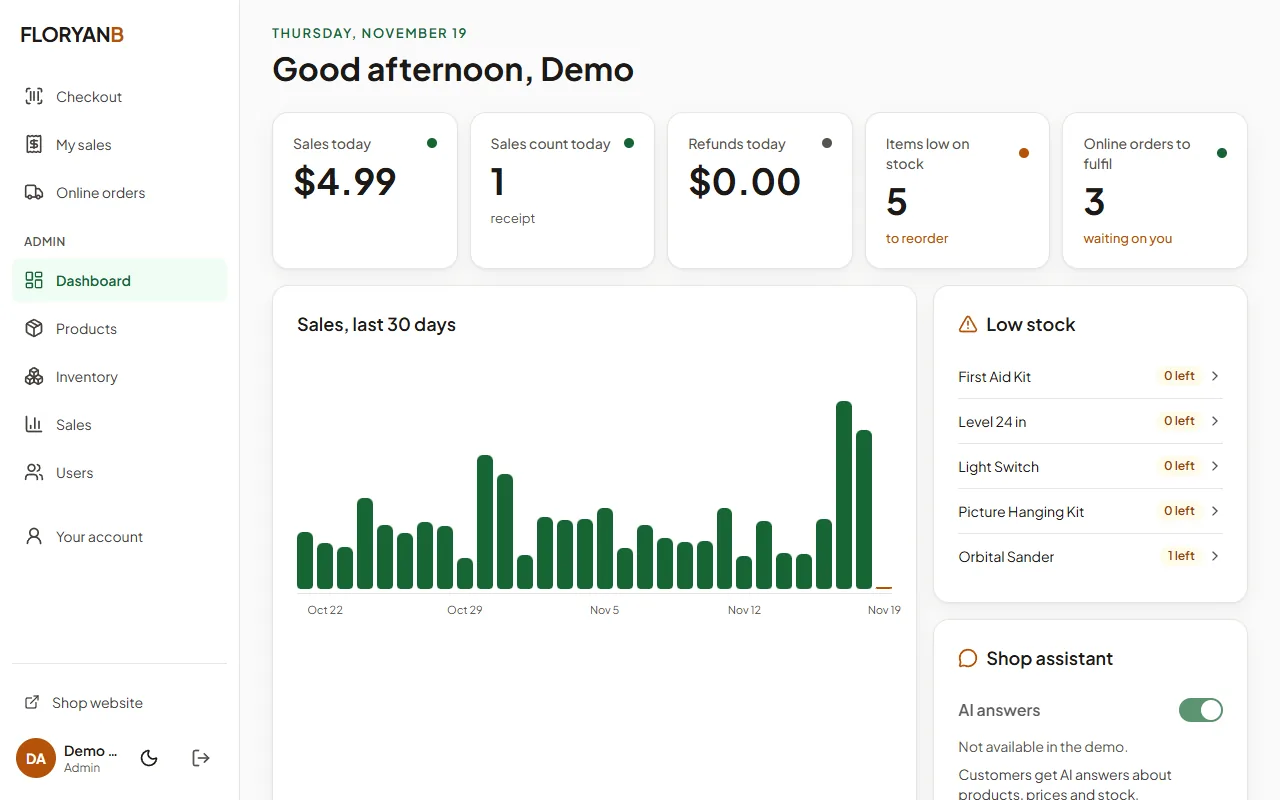
Admin dashboard with today's sales, online orders to fulfil, a 30-day sales chart and low-stock items
The admin dashboard shows today's sales, online orders waiting to be fulfilled, a 30-day chart and the items to reorder, with online and till sales counted together. Admins also manage products, inventory, refunds, staff and the shop assistant.
All website development projects

Work with me

Need a website like this?

Tell me about the website you need. I’m open to freelance projects, ongoing support and technical partnerships.

Or reach me by email, on Upwork or on LinkedIn.